

Checkout flow
Checkout is a window over the shop page. The shopper enters contacts and delivery, reviews the order and pays by card; the card is saved for the following subscription charges.
How it works
Section titled “How it works”- The shopper clicks «Checkout» in your cart.
- Your server creates the order through
POST /v1/shop/orders/createwith lines fromgetOrderItems()and returnsorder.idto the page. - The page calls
NeocartsSubscription.open({ orderId }). - The shopper goes through the steps: contacts → delivery → review → payment.
- After payment the page receives
neocarts:paidand the server receives theorder.paidwebhook.
Opening
Section titled “Opening”try { await NeocartsSubscription.open({ orderId: order.id });} catch (e) { // 'Shop is not ready' — the shop has not finished its setup // e.status === 404 — order not found}| Parameter | Type | Required | Description |
|---|---|---|---|
orderId |
string | yes | The order id from the Shop API response |
locale |
string | no | uk or en; applies only when the order has no locale |
Calling open() again with the same orderId does nothing; with another one it opens the new order and keeps the contacts and delivery already entered. close() closes the window.
Shopper steps
Section titled “Shopper steps”1. Contacts
Section titled “1. Contacts”First and last name, phone (+380…), email.
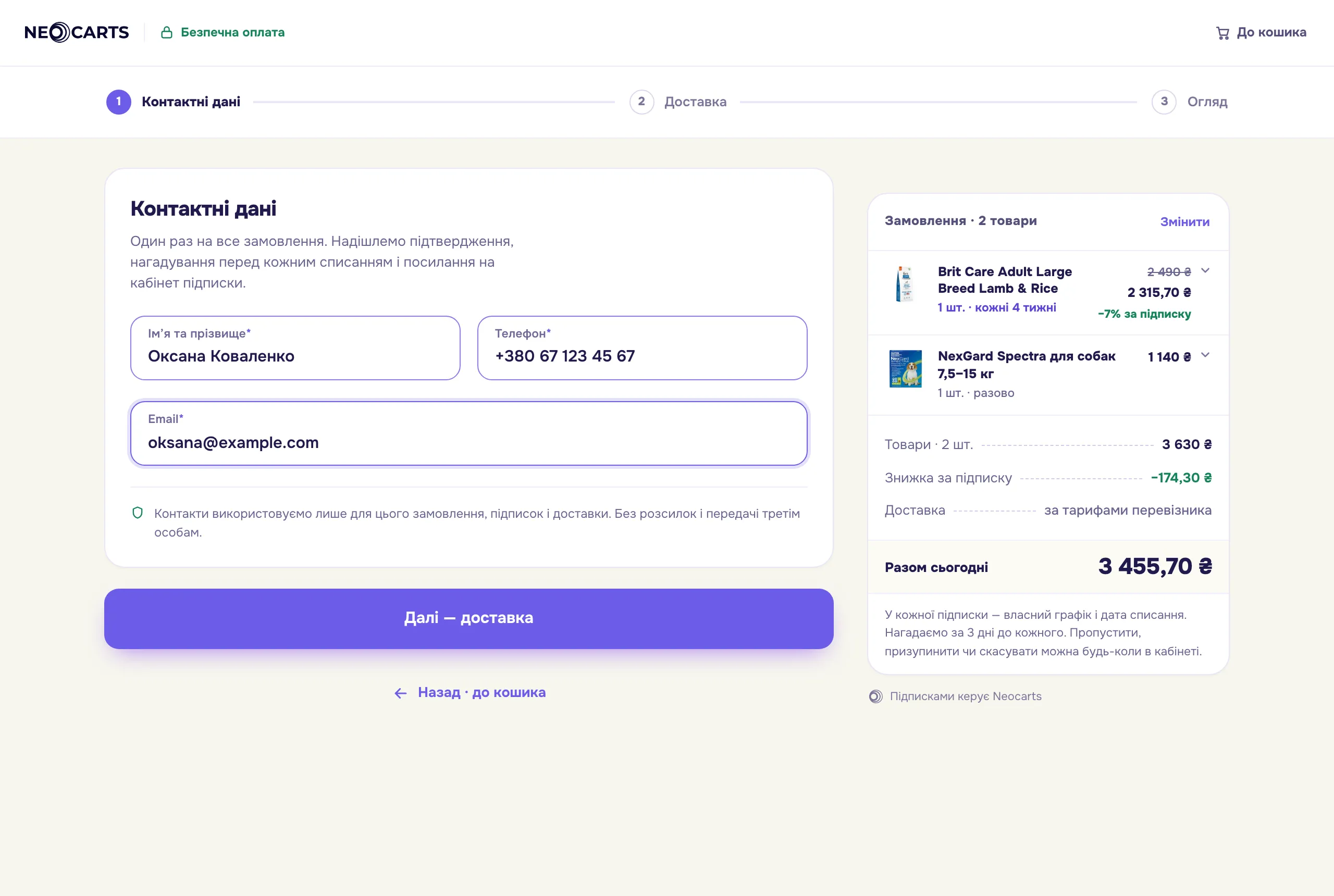
2. Delivery
Section titled “2. Delivery”Only the methods enabled in Settings → Delivery: Nova Poshta — branch, parcel locker or address, with city and branch search. The recipient defaults to the contact.
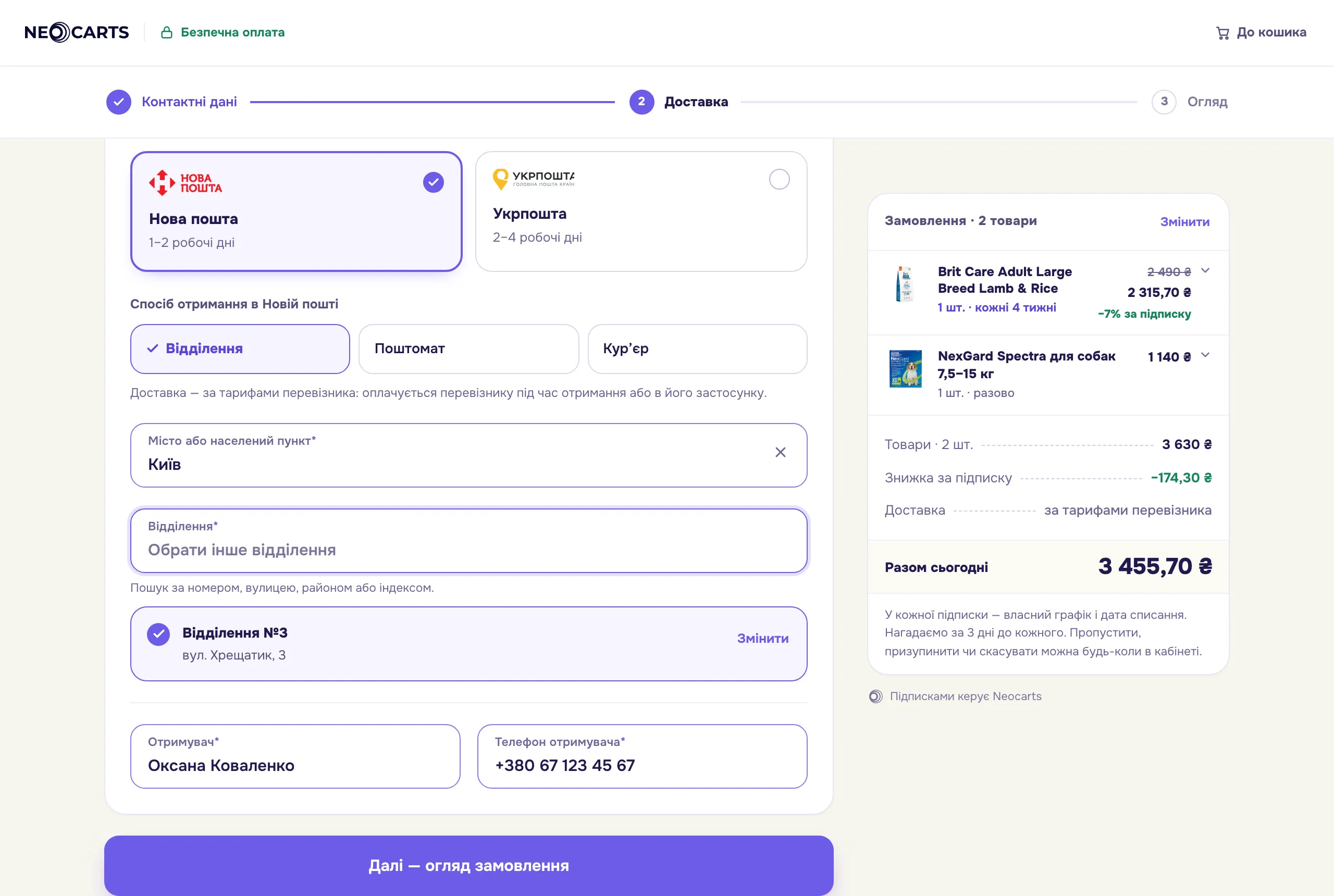
3. Review
Section titled “3. Review”Products and totals from the order, contacts, delivery and consent to recurring charges (when the order has subscriptions). «Go to payment» locks the order contents — the lines cannot be changed after it.
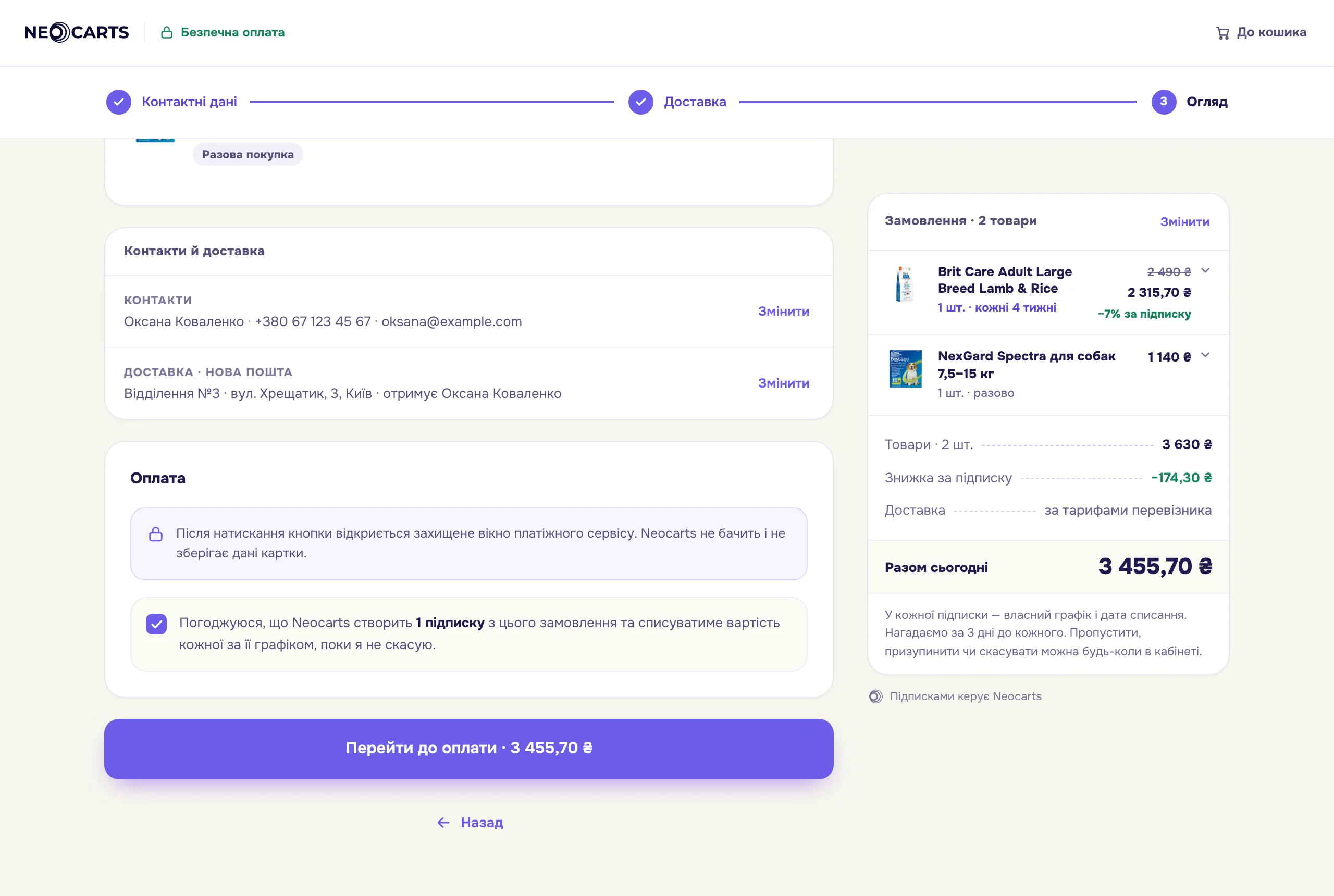
4. Payment
Section titled “4. Payment”The shop’s payment provider page opens inside checkout. After paying, the shopper is brought back to the result automatically.
5. Result
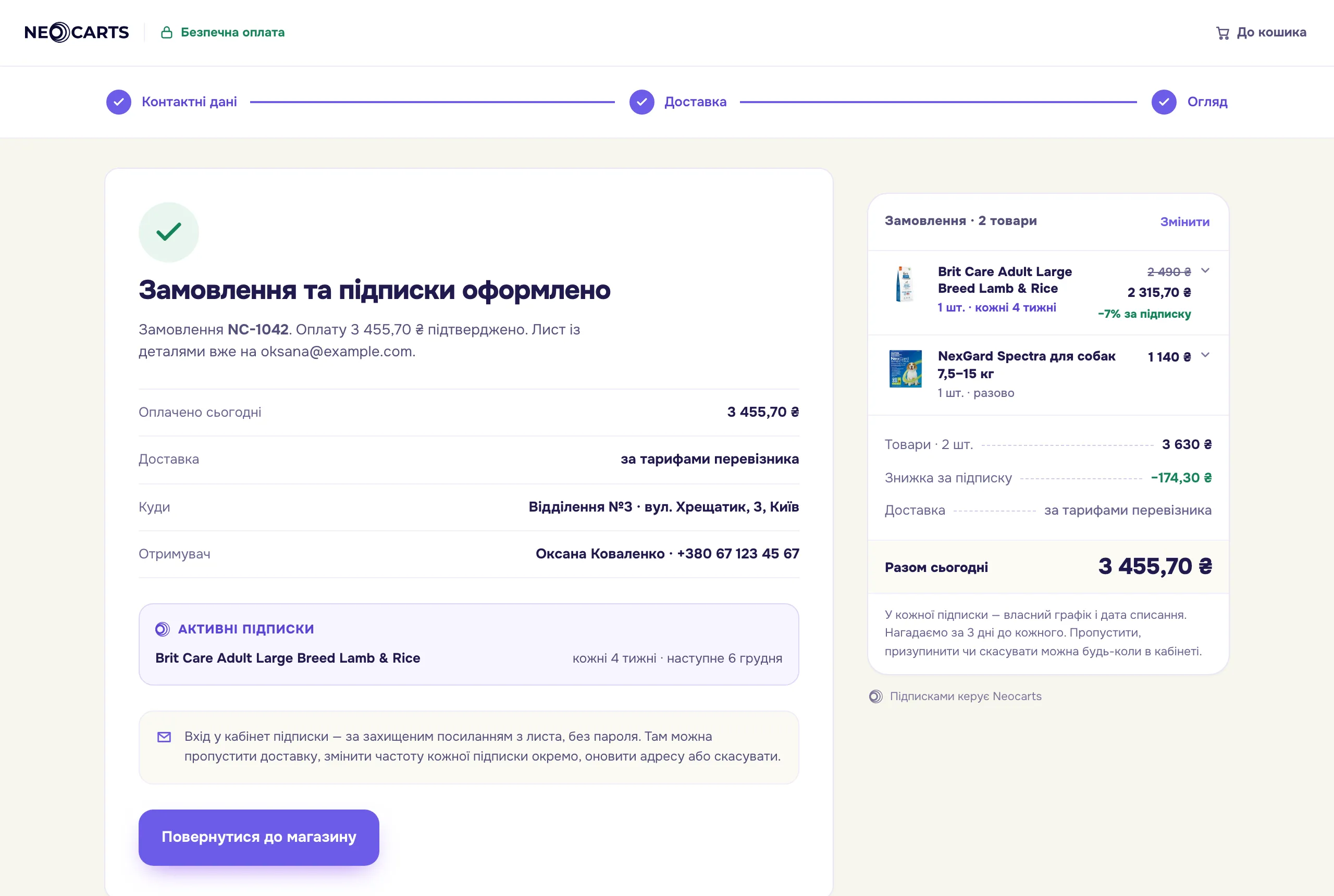
Section titled “5. Result”| Screen | When | What the shopper sees |
|---|---|---|
| Success | payment confirmed | order number, amount paid, delivery, subscriptions with next charge dates, «Back to the shop» |
| Failure | the bank declined, the payment timed out, the card was not saved | the reason and a button to pay again |
| Unavailable | the order is cancelled or not found | «Checkout unavailable», «Back to the shop» |
| Success | Failure |
|---|---|
 |
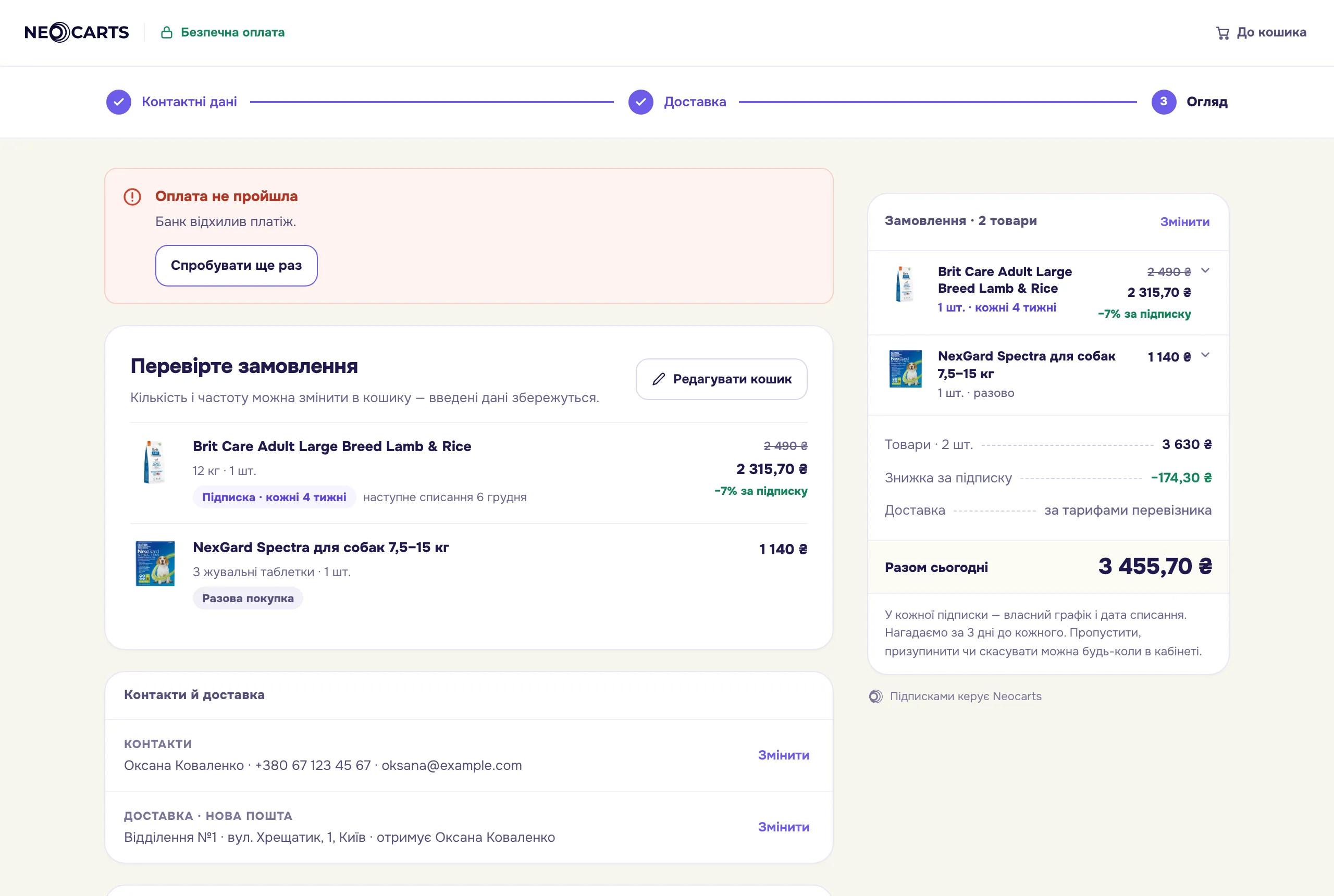 |
Reason texts are in Statuses.
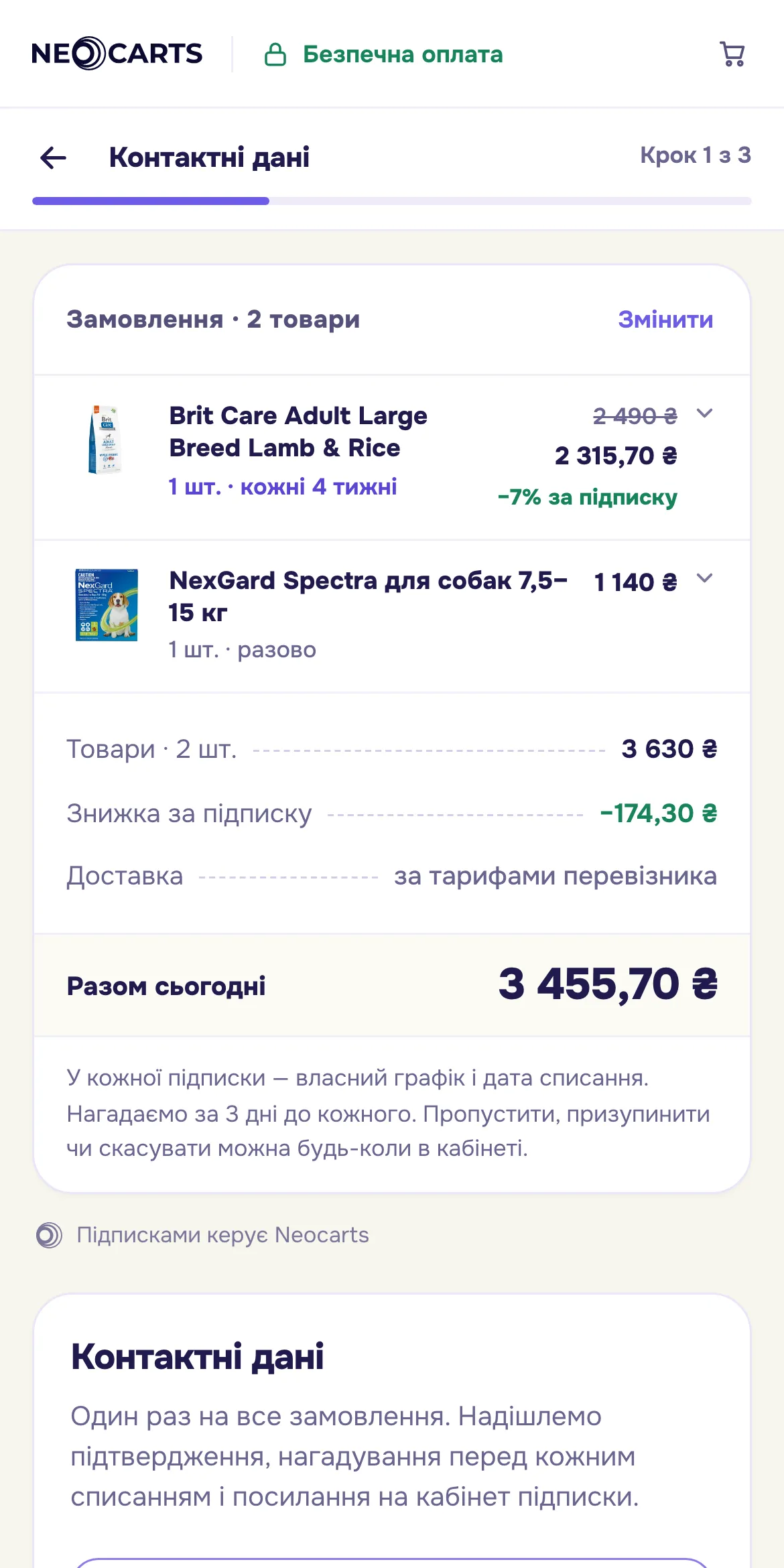
On a phone checkout takes the full screen:
What the shop page does
Section titled “What the shop page does”| Moment | Action |
|---|---|
| the shopper clicked «Checkout» | create the order on the server, store order.id, call open({ orderId }) |
open() rejected with Shop is not ready |
show that subscriptions are temporarily unavailable; finish payment and delivery setup in the panel |
| the shopper changed the cart before paying | update the lines with PUT /v1/shop/orders/{order}/items; on 409 create a new order |
neocarts:paid |
empty the cart, forget order.id, show the order number |
neocarts:order-missing |
forget order.id; the next «Checkout» creates a new order |
| the shopper closed the window without paying | nothing; a «Continue checkout» button calls open() with the same order.id |
Returning to checkout
Section titled “Returning to checkout”The widget remembers an unfinished checkout in the shopper’s browser, so nothing has to be re-entered after a page reload. To continue, call open() with the same order.id or open the page with the ?neocarts=checkout marker. If the order is already paid, the shopper sees the success screen and the page receives neocarts:paid.
redirect_url
Section titled “redirect_url”Where the success screen leads: the «Back to the shop» button, and also closing checkout with the header button or Esc. It is not passed to the payment provider. Without it all of these just close the window.