

Managing sales
The «Sales» group is the day-to-day work with orders and subscriptions. Every list has search, filters and status tabs; status values are in Statuses.
Orders
Section titled “Orders”An order is created by your server for the shopper’s cart, by a subscription charge or by you in the panel («Source»: «Widget» or «Subscription»). Statuses: «Draft», «Awaiting payment», «Paid», «Cancelled».
Create an order by hand
Section titled “Create an order by hand”For an order taken by phone, in a messenger and so on: the panel creates it exactly as your server does through the Shop API, and the shopper gets a link and pays themselves.
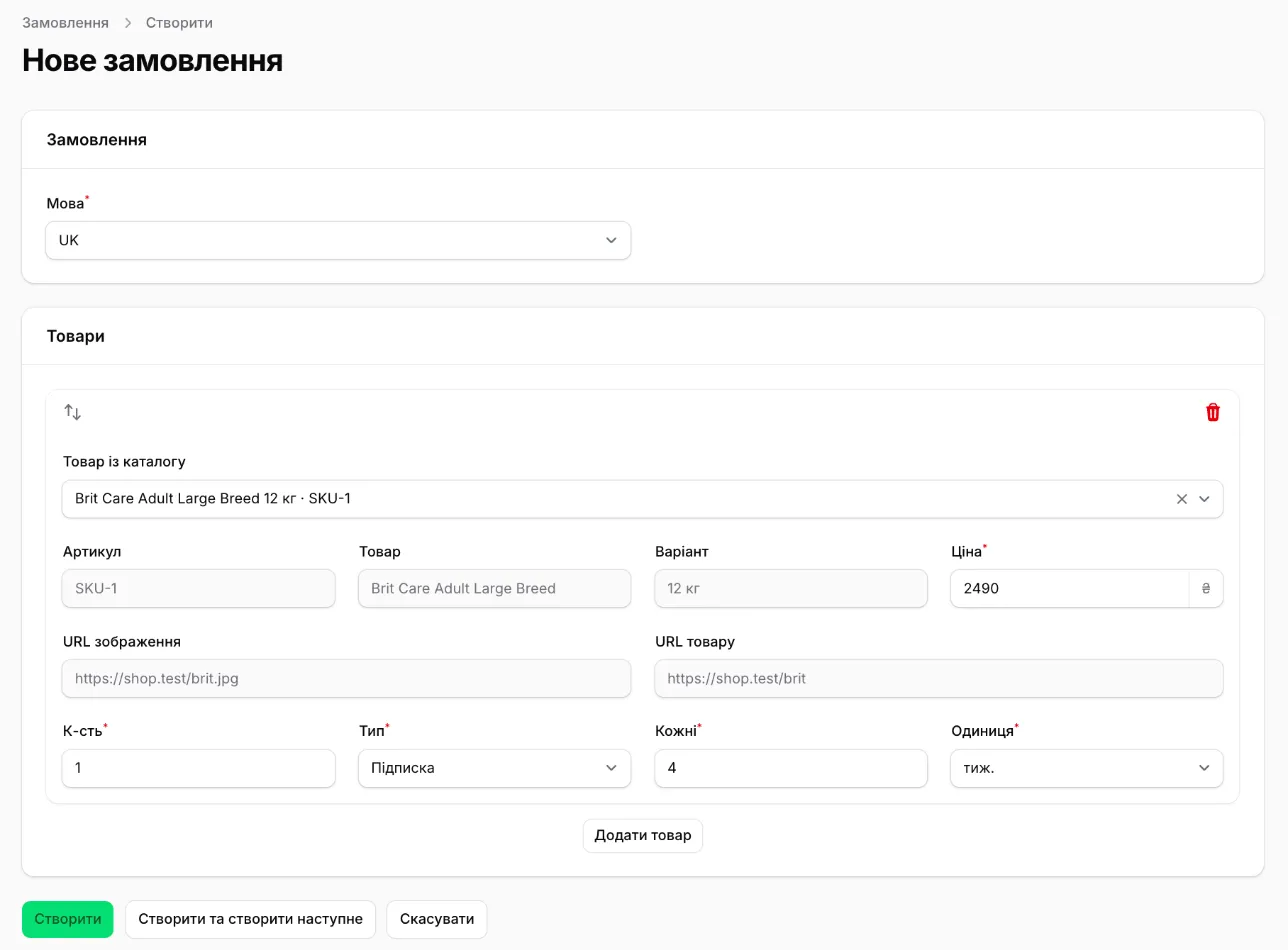
- In «Orders» click «New order».
- Pick the checkout «Language».
- Add the items. «Product from the catalogue» fills in the SKU, title, variant and links; those fields become locked. A product missing from the catalogue is typed in by hand — it lands in the catalogue.
- For each item set the «Price» in hryvnias, «Qty» and «Mode»; for a subscription also «Every» and «Unit». The shop discount applies on its own.
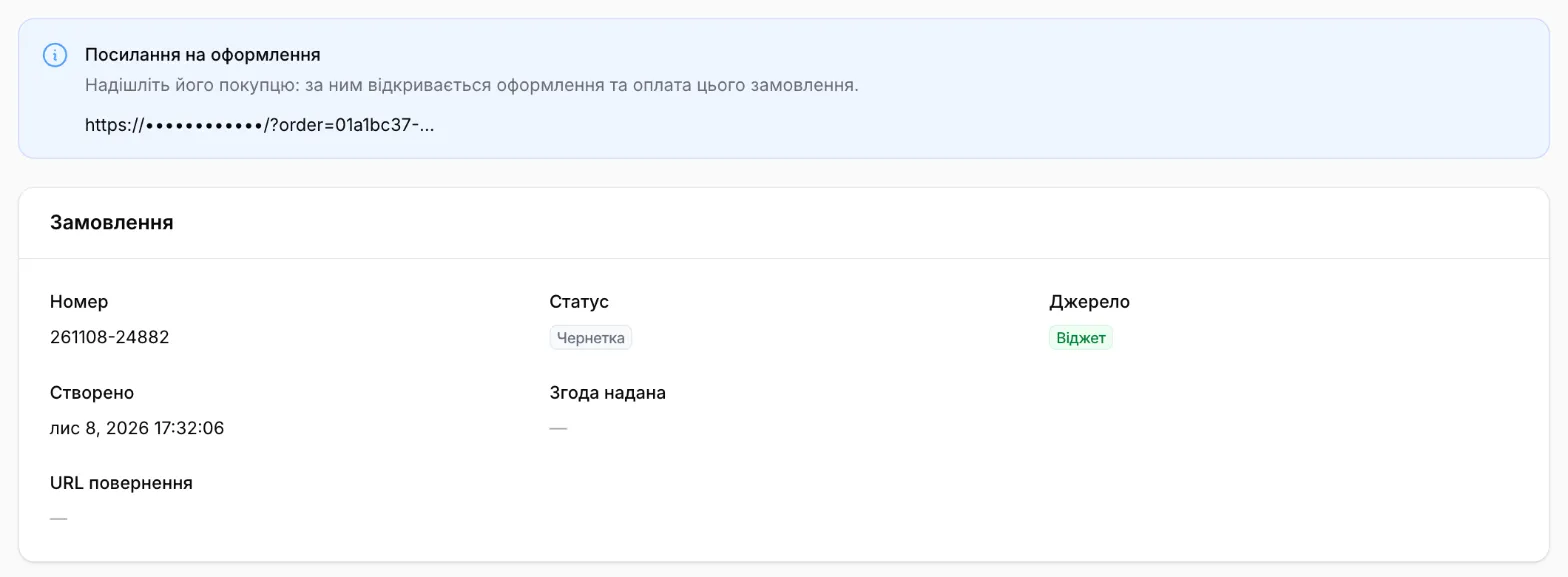
- Click «Create». The order page opens in «Draft» status with the checkout link.
| Field | Rules |
|---|---|
| «Language» | required; uk or en |
| «SKU», «Product» | required |
| «Price» | required; in hryvnias, from 0.01 |
| «Qty» | 1–9 |
| «Every» + «Unit» | for «Subscription»: 1–365 days or weeks |
| «Image URL», «Product URL» | optional |
| Items | 1–50, at least one «Subscription» |
The shopper fills in contact and delivery details at checkout. The «Source» of such an order is «Widget».
Checkout link
Section titled “Checkout link”On the page of a «Draft» or «Awaiting payment» order there is a «Checkout link» banner — click the link to copy it. Send the link to the shopper: it opens checkout and payment for exactly this order. Once the order is paid or cancelled the link stops working.
Order actions
Section titled “Order actions”| Action | Available when | What it does |
|---|---|---|
| «Cancel order» | «Draft», «Awaiting payment» | Closes the order for good; the payment link becomes invalid. A paid order is not cancelled — refund the payment instead |
| «Confirm payment» | «Awaiting payment» | For your records only, when the money arrived outside Neocarts. No card is saved, so no subscription starts — for a subscription the shopper has to pay in the widget |
| «Send email» | «Paid» | «Customer — order confirmation»; for a subscription order also «Shop — subscription order» |
Subscriptions
Section titled “Subscriptions”Statuses: «Active», «Paused», «Cancelled». How charges, retries and pauses work is in Recurring billing.
| Action | For statuses | What happens |
|---|---|---|
| «Pause» | Active | Charging stops. With a «Paused until» date the subscription activates itself that day, without one it waits for manual activation |
| «Activate» | Paused, Cancelled | Charging resumes from the chosen date; missed charges are not collected |
| «Change schedule» | Active, Paused | Moves the next charge date |
| «Change quantity» | Active, Paused | New quantity in every following charge |
| «Change delivery» | Active, Paused | Another saved or a new address; the method must be on in «Delivery» |
| «Cancel» | Active, Paused | Charging stops; a «Cancellation reason» is required, a «Comment» is optional |
| «Send email» | — | «Shop — new subscription»; for a paused subscription also «Customer — request to update the card» |
Payments
Section titled “Payments”Every row is one payment attempt with the status «Pending», «Paid», «Failed», «Expired» or «Refunded».
Refunds: on a paid payment’s page click «Refund» and enter the «Refund amount» — a part is fine. After a full refund the status becomes «Refunded»; the «Refunded» field always shows the amount returned. A refund does not stop the subscription — cancel it separately if needed.
Customers
Section titled “Customers”Only shoppers with at least one subscription in your shop. Contacts can be edited («Edit customer»). «Send email» resends «Customer — welcome and account access».
Products
Section titled “Products”The catalogue is filled by your server through the Shop API; in the panel products are read-only. Actions for all of a product’s subscriptions at once:
| Action | What happens |
|---|---|
| «Change subscription price» | Active and paused subscriptions are charged the «New price» from their next charge, each keeps its discount; shoppers get a price-change email |
| «Pause all subscriptions» | Every active one becomes «Paused» until activated by hand, with the «Reason» you give |
| «Cancel all subscriptions» | Every active and paused one is cancelled with the «Reason»; in statistics — «Product discontinued» |
To stop selling a product by subscription, simply stop adding it to carts on your site: Neocarts has no separate flag.