

Subscribe button
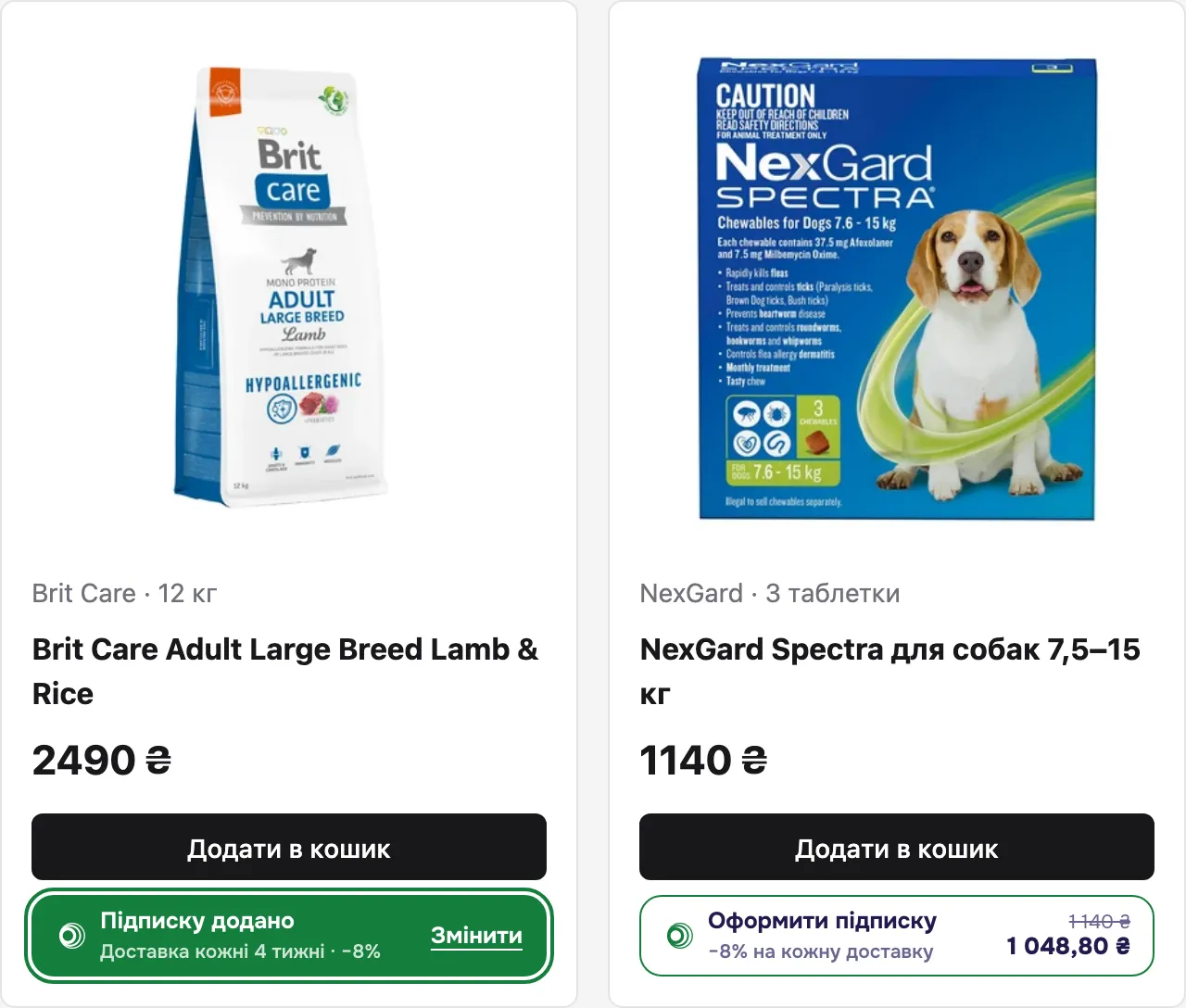
The subscribe button shows the subscription price with its discount and lets the shopper pick how often to deliver the product. Place it under the «Buy» button on a product page, in a catalogue card or in a cart row.
Features
Section titled “Features”- Subscription price and discount right on the button.
- Delivery frequency from the shop’s presets or a custom interval.
- Changing and removing a product subscription.
- The same state on every page and tab: product page, catalogue, cart.
How it works
Section titled “How it works”- The shopper clicks «Subscribe» and the frequency window opens.
- They pick a frequency and click «Add subscription». The button switches to «Subscription added».
- The choice is kept in the shopper’s browser. Your cart takes it with
getOrderItems()when it creates the order.
The button does not add the product to your cart and does not create an order — your page does.
Markup
Section titled “Markup”<neocarts-button product-id="food" amount="249000" title="Brit Care Adult Large Breed Lamb & Rice" image="https://shop.example.com/img/brit-care-12kg.png" variant="12 kg" checkout-url="/cart"></neocarts-button>The script must be embedded on the page.
Attributes
Section titled “Attributes”| Attribute | Type | Required | Description |
|---|---|---|---|
product-id |
string | yes | Your product ID — the same external_id as in the order line. Example: food |
amount |
integer | yes | Price of one unit in kopecks, before discount, greater than 0. Example: 249000 = 2 490,00 ₴ |
title |
string | yes | Product name in the subscription window |
image |
URL | yes | Product image in the subscription window |
variant |
string | no | Variant under the name. Example: 12 kg |
checkout-url |
URL | no | Adds a «Go to checkout» button after the subscription is saved. Only http(s) or a relative path |
If a required attribute is missing or amount is not a positive integer, the button is not shown and the console gets a warning listing the problems:
[Neocarts] <neocarts-button product-id="food"> hidden: missing or invalid amount, imageAttributes can be changed by script — the button updates itself. Buttons can be added at any time (SPA, infinite scroll).
States
Section titled “States”| State | When | What the shopper sees |
|---|---|---|
| Available | no subscription for the product | «Subscribe», «−7% on every delivery», old and new price |
| Subscribed | the shopper added a subscription | «Subscription added», subscription price and discount, delivery frequency, «Change» |
| Hidden | the shop has not finished payment or delivery setup, or the page has no shop id | nothing |
| Available | Subscribed |
|---|---|
 |
 |
The shop sets the discount in Settings → Subscriptions. Without a discount the button shows «Regular delivery with Neocarts» and a price without strikethrough.
The discounted price on the button is a preview. Final totals are computed by the server when the order is created (Money and rounding).
Subscription window
Section titled “Subscription window”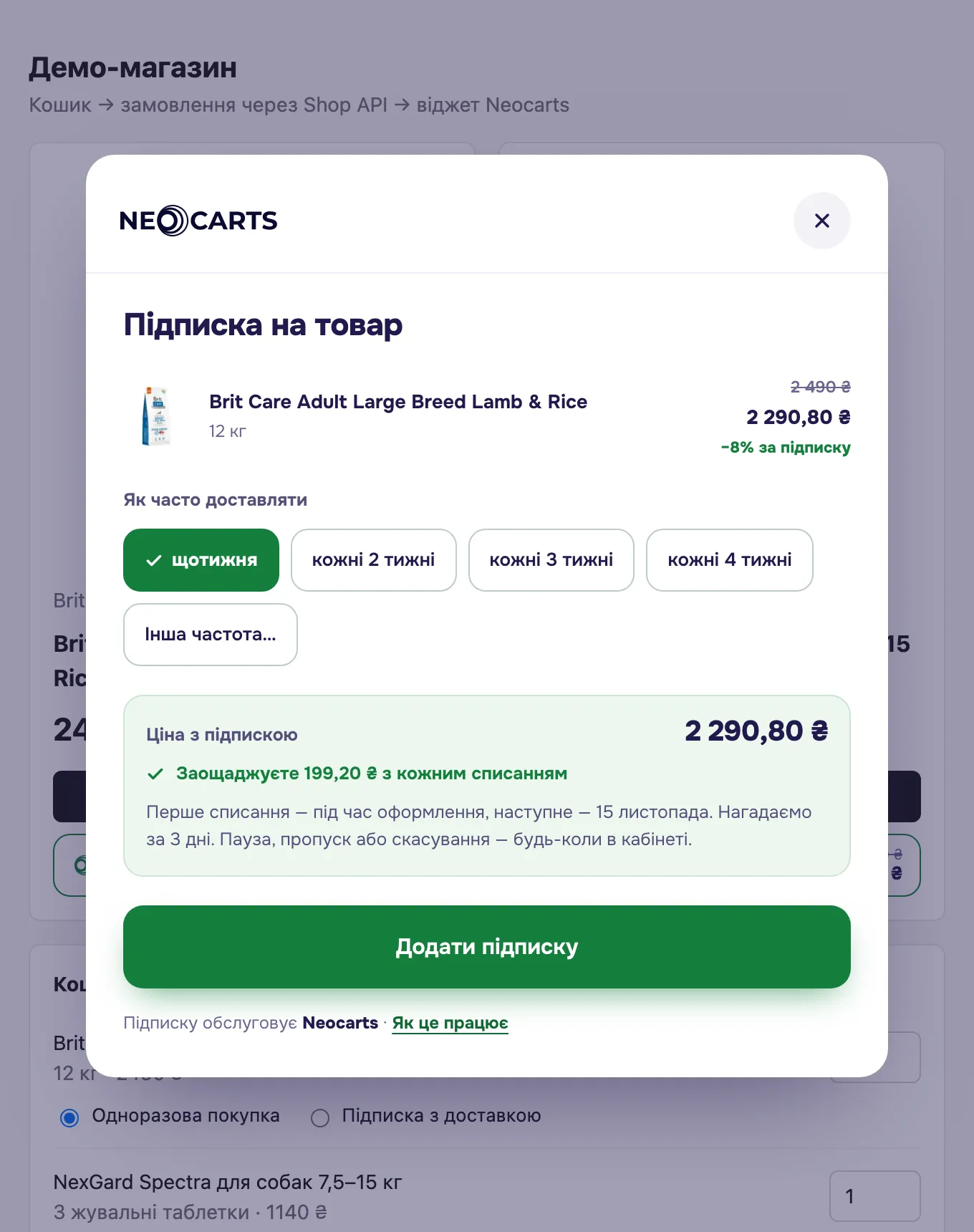
- Product — image, name, variant, discounted price.
- How often to deliver — the shop’s presets and «Other frequency…» (every N days or weeks, within the shop’s limits).
- Subscription price — savings on every charge and the date of the next charge.
- «Add subscription» — saves the choice. In edit mode: «Save changes» and «Remove subscription».
There is no quantity in the window: it stays in your cart. Delivery is paid to the carrier separately.
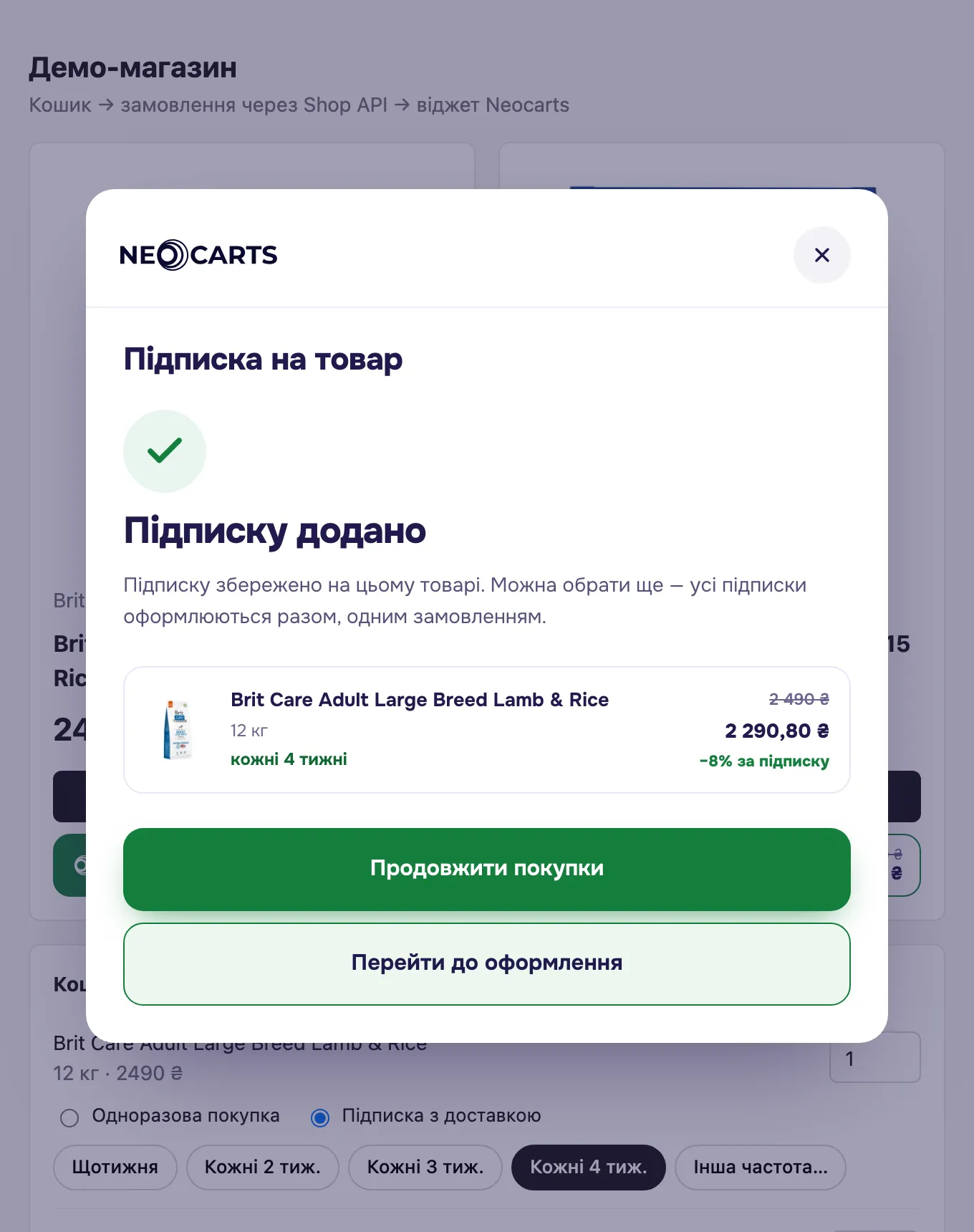
After saving, the shopper sees a confirmation with «Continue shopping» and, if checkout-url is set, «Go to checkout».
The button and the cart
Section titled “The button and the cart”The button only remembers the frequency for a product-id. The cart stays yours, so connect the two in two places.
A subscription on a product that is not in the cart. The shopper can subscribe from a catalogue card without adding the product to the cart and then click «Go to checkout». So that the cart is not empty, add the product when a subscription appears:
NeocartsSubscription.subscribe((all) => { for (const [id, s] of Object.entries(all)) { if (s.mode === 'subscription' && !cart.has(id)) { cart.add(id, 1); // your cart } } renderCart();});subscribe() calls the function with all of the shopper’s choices on every change. Leave a product that is already in the cart alone: its quantity stays, and getOrderItems() turns it into a subscription.
Removing from the cart. When the shopper removes a product from the cart, forget its choice too, otherwise the product comes back as a subscription as soon as it is added again:
NeocartsSubscription.remove(id);«Remove subscription» in the subscription window forgets only the choice: the product stays in the cart and goes into the order as one_time. If it should disappear together with the subscription, remove it from the cart in the same subscribe().
«How the subscription works» window
Section titled “«How the subscription works» window”Explains the subscription to the shopper: frequency, a reminder 3 days before each charge, card payment through the shop’s payment provider, managing the subscription. Opens from the «How it works» link in the subscription window or from your own button:
<button type="button" onclick="NeocartsSubscription.openHowItWorks()">How does the subscription work?</button>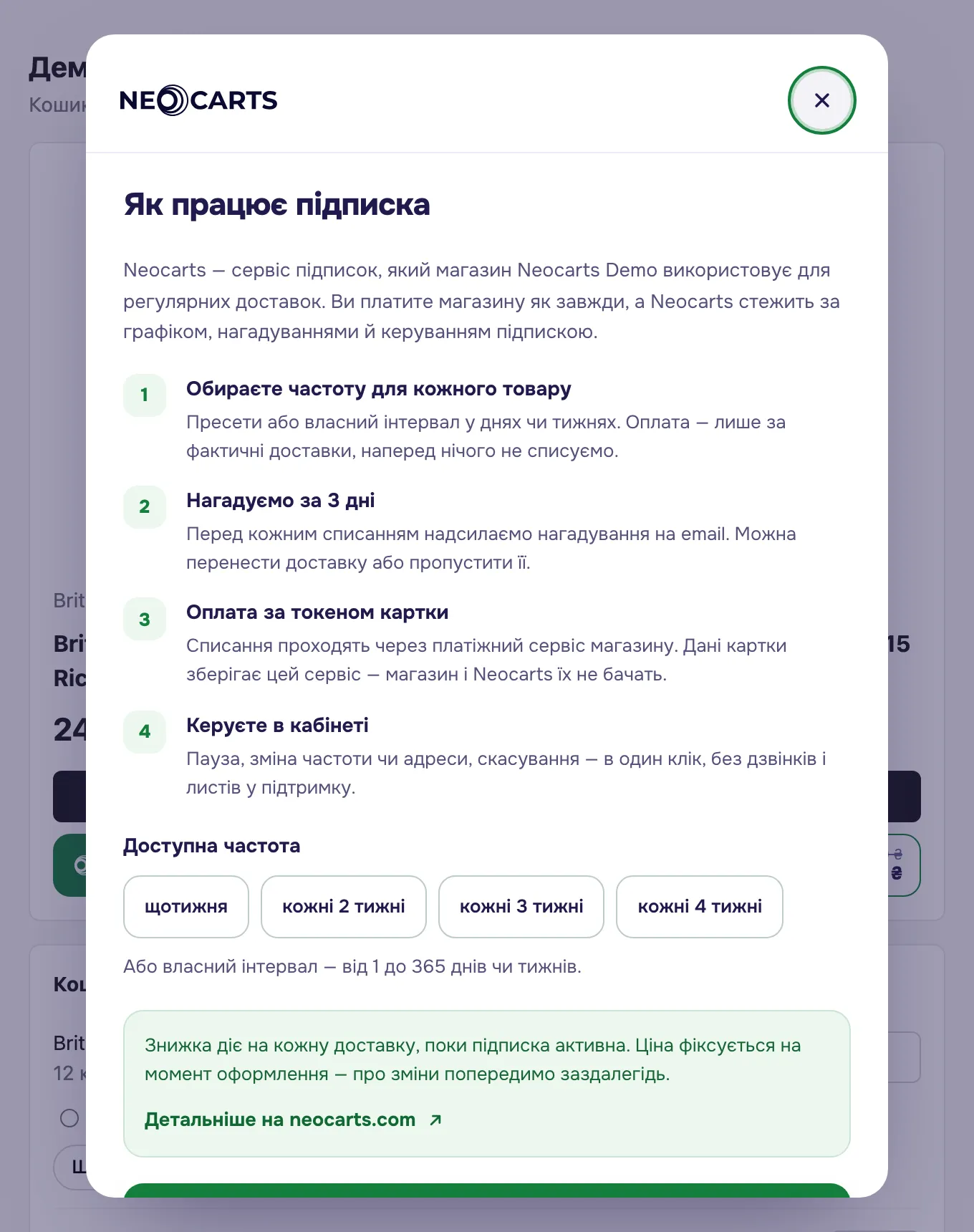
Placement
Section titled “Placement”- The button takes the full width of its parent block. Put it in the same column as your «Buy» button.
- In a narrow container (under 256 px) the button stacks into two lines — for catalogue cards on phones.
- Do not give the container
display: contents— the button will always be narrow. - The button can sit inside a link card
<a>: clicking the button does not follow the link.
Colours come from the shop’s palette (Palettes and languages); page styles do not affect the button.