

Widgets overview
Neocarts widgets add product subscriptions to a shop’s website. They are loaded with one script from the CDN; they need no keys and no server involvement.
| Widget | Where it shows | What it does |
|---|---|---|
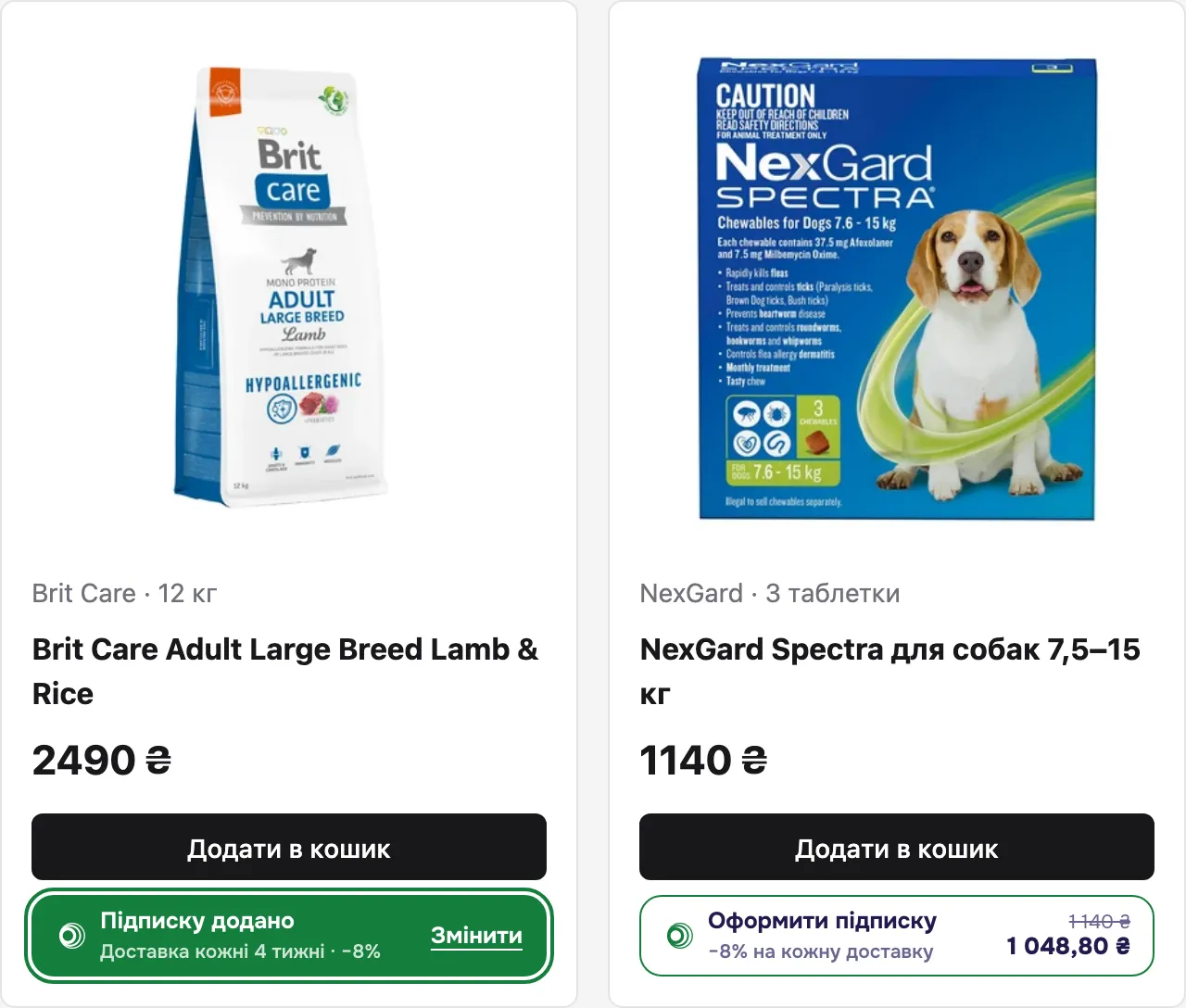
| Subscribe buttons | product page, catalogue card, cart | the shopper picks how often to deliver a product |
| Checkout | a window over the page | contacts → delivery → review → payment → result |
How it works
Section titled “How it works”- You embed the script on every page of the shop.
- You place a subscribe button under the «Buy» button. The shopper picks a frequency; the choice is kept in the browser.
- When the shopper clicks «Checkout» in your cart, your server creates an order through the Shop API.
getOrderItems()gives you its lines. - The page calls
open({ orderId })and the checkout opens. - After payment the page receives the
neocarts:paidevent and the server receives webhooks.
The cart, prices and buy buttons stay yours. Order totals are computed by Neocarts on the server — the widget does not send them.
Subscribe buttons
Section titled “Subscribe buttons”Subscribe buttonThe element: attributes, states, the frequency window.
Shopper selectionHow to pass the shopper's choice into the order with getOrderItems().
Checkout
Section titled “Checkout”Checkout flowHow to open checkout, what the shopper sees, what the page does.
Eventsneocarts:paid, order-missing, close and more.
Shared
Section titled “Shared”EmbeddingThe script tag, shop id, SPA, CSP.
JavaScript APIEvery window.NeocartsSubscription method with types.
Palettes and languages8 palettes and how the language is chosen.
TroubleshootingSymptom → cause → fix.